


v1.8.0
New featuresLatestTell Discord you're live, by itself.A new Go-live post page posts your stream in the Discord channels you name the moment you go live. It uses the stream's own link, so for YouTube that's the
watch?v=link of the stream itself, not your channel. Pick channels and servers by name, by ID or by pasting a channel link, and ping roles by name (like@CUSTOMERS). It posts once per stream, even with Mergio open on your PC and your phone. Discord only lets bots post for you, so the page walks you through making your own free bot (about 3 minutes, once).A live card with your stream's thumbnail.On Discord, a YouTube stream gets a card: who's live, the title (tap it to watch), every place you're live, the stream's thumbnail and your channel names under it. The page shows a preview of the card.
Your live picture for WhatsApp status.A 9:16 status picture with your stream's thumbnail, LIVE NOW, your name, the title and every channel you're live on, plus a caption with all your links. Pick the background and headline, then share it to WhatsApp, Telegram, Facebook or X, copy it or save the picture.
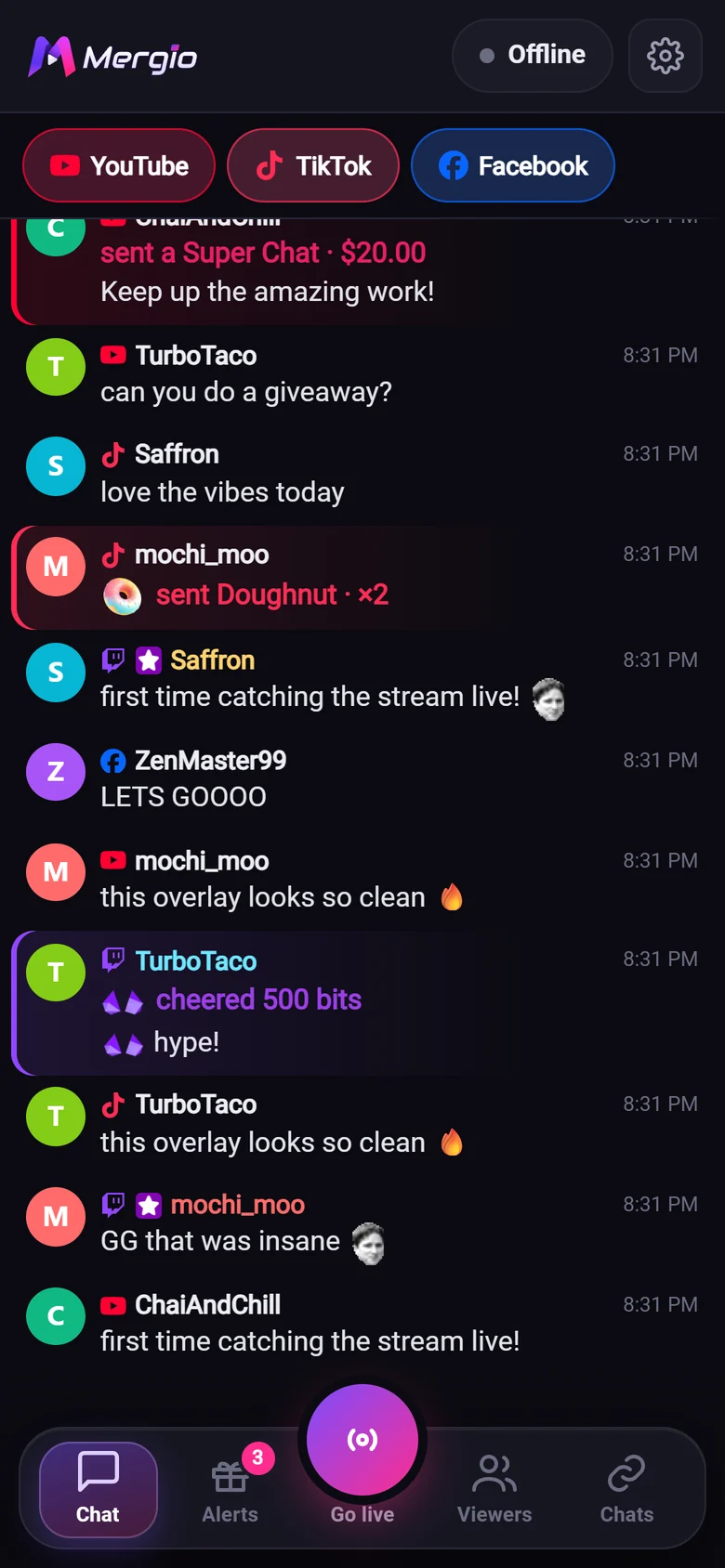
A Go live button on your phone.The phone app has a new floating bottom bar with a round Go live button in the middle. It turns red while you're on air. It opens your Discord post (preview, post now, a test post, your channels and bot) and your status picture: one tap on Add to status opens WhatsApp's status screen with the picture and caption ready. Settings moved to the gear at the top.
A friendlier phone app.Bigger buttons and chips, a press you can feel, pull a panel down to close it, and the app no longer says you're live just because your Twitch or Kick chat is connected.